After uninstalling SMTP server feature on windows 2008 R2 Server, asked for restart, so restarted the Server and after long time ( approx 1 Hour wait) server has not restarted.
Ping was working fine, but RDP was not working.
On the server console below text was getting displayed.
Preparing to configure Windows. Do not turn off your computer.

So done below tricks to make server operational.
- Taken remote of another server of which user name and password is same as of SERVER A
- Opened services.msc , connected to server A
- Come to know WINDOWS MODULES INSTALLER Service is in Stopping modeAnd was not allowing to stop or start from services.msc of Server B
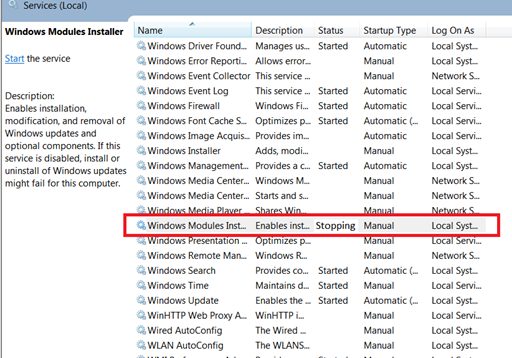
- If we hardboot server , there was chance of windows OS crash.
- Opened properties of WINDOWS MODULES INSTALLER service to check for the command getting executed for this service
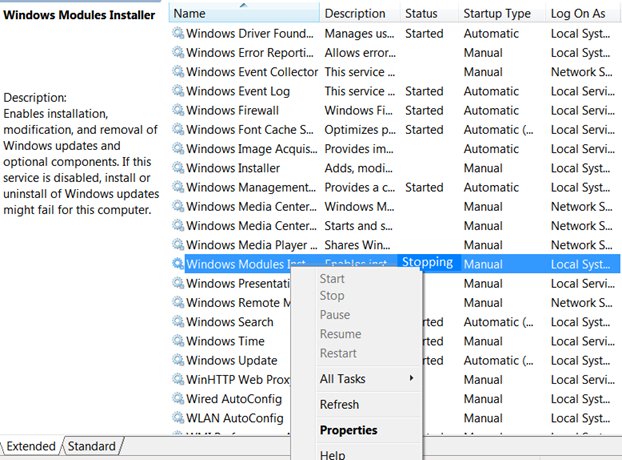

- The executable for the service wasC:\windows\servicing\trustedinstaller.exe
- Now searched for remote task manager and downloaded fromthis tool allows to connect to remote system task manager

- Right click on the above executable and select option kill
- The server was shown below screen

10 ) And restarted the server
Note...this can be done without installing external software as well as follows:
sc \\computername queryex TrustedInstaller
taskkill /s computername /pid /f
or
From another computer used “taskkill /S hostname /IM trustedinstaller.exe”.

No comments:
Post a Comment